

If you're in the HVAC business, you know the frustration. The schedule is packed, the tech is on the road, and then you get the call: "Sorry, the homeowner isn't there." It's tempting to just sigh, reschedule, and move on.
But here’s the thing: you have to stop treating no-shows as a simple scheduling headache. Every single missed appointment is a direct hit to your bottom line. Shifting your mindset to see them as significant financial losses is the first and most critical step to actually fixing the problem.
The True Cost of a No-Show HVAC Appointment
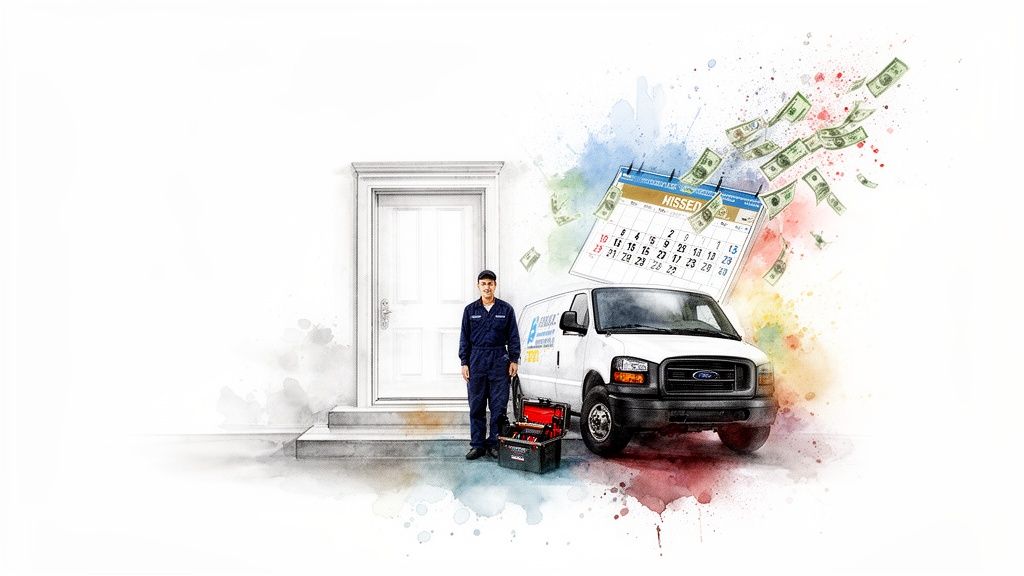
It’s easy to write off a no-show. The dispatcher juggles the calendar, the technician heads to the next job, and business rolls on. But this overlooks the powerful ripple effect that one missed appointment sends through your entire company. It’s not just an empty time slot; it's a cascade of wasted cash and lost opportunity.
Think about the immediate, out-of-pocket costs. When a tech drives to a home and nobody answers the door, you've just burned money on:
- Fuel and Vehicle Wear: The real cost of getting your van from point A to a dead end.
- A Technician's Paid Time: You're paying a skilled professional to sit in their truck, generating zero revenue.
- Lost Opportunity: That appointment slot could have gone to another customer—maybe even an emergency repair that would have been a high-ticket job.
These costs add up fast, but honestly, they're just the tip of the iceberg. The real damage is in the hidden opportunity cost, which can quietly suck tens of thousands of dollars out of your business every single year.
Uncovering the Hidden Financial Drain
When you actually run the numbers, the impact is staggering. Industry estimates show that between 10% and 30% of all home service appointments are no-shows. The HVAC world is no exception.
Let’s say your company spends a pretty standard $250–$300 per booked lead. Even a modest 5% no-show rate means you're just lighting a portion of your marketing budget on fire.
Here's a real-world sales scenario we see all the time: a comfort advisor runs 400 leads in a year. A 5% no-show rate means 20 of those homeowners simply weren't home. At $300 per lead, that's $6,000 in hard marketing spend completely wasted.
But the real gut punch is the lost opportunity. With a 50% close rate and an $8,000 average install ticket, those 20 missed appointments represent $80,000 in lost potential revenue. That's roughly $30,000–$40,000 in gross profit that just vanished. You can dig into a deeper breakdown of these numbers and how they affect HVAC appointment setting services.
By reframing a no-show from a simple scheduling error to a critical performance metric, you create the urgency needed to fix the problem. It’s a direct hit to your profitability that demands a strategic solution.
Beyond the Balance Sheet
The pain doesn't stop with the financials. Chronic no-shows throw your entire operation into chaos. Dispatchers are constantly scrambling, and technicians get frustrated, feeling like their time is being disrespected. Before you know it, morale takes a nosedive and productivity slumps across the whole team.
Ultimately, figuring out how to reduce no-show appointments isn't just about administrative cleanup. It’s a core business function that protects your marketing dollars, makes your team more efficient, and directly fuels your company's growth.
The fight against no-shows is won or lost long before your technician ever gets in the van. From my experience, I can tell you that most missed appointments aren't just bad luck—they're a direct result of a weak pre-appointment process, starting from the very first click or call.
If you want to make sure a customer is home and ready when your team arrives, you have to build a solid foundation right at the booking stage. It’s all about setting clear expectations and getting a little buy-in from the moment a homeowner reaches out.
Refining Your Initial Contact
Whether someone books on your website or calls the office, that first interaction sets the tone for everything that follows. A clunky, confusing, or vague booking process creates friction. It leaves room for doubt, making it way too easy for a homeowner to forget about you or decide something else is more important.
Your goal is simple: make booking easy while still getting the critical info you need for a successful service call.
- Streamline Your Online Forms: Seriously, only ask for what you absolutely need. Name, address, phone, email, and a quick description of the problem is usually plenty. Long, complicated forms are a guaranteed way to make people give up and go elsewhere.
- Empower Your CSRs: Give your team scripts that do more than just take down information. They need to briefly explain the value of the visit, confirm they understand the issue, and tell the homeowner exactly what to expect next. This builds confidence.
- Set Clear Time Windows: Stop saying "we'll be there in the afternoon." It's too vague. Instead, give them a concrete two-to-four-hour window. Just as important, promise them they'll get another notification when the tech is actually on the way.
Effectively managing these first touchpoints is a huge piece of the puzzle. It's a core part of a good lead management strategy, and for a deeper dive, you can check out our guide on how to implement an effective HVAC lead management system to see how all these pieces fit together.
The Power of a Small Commitment
One of the single most effective tactics I've seen to slash no-show rates is getting a small, upfront commitment from the customer. This isn't about punishing people; it's about using a well-known psychological trigger: commitment and consistency. When someone puts even a little skin in the game, they're exponentially more likely to follow through.
A small, refundable booking deposit instantly transforms a casual inquiry into a confirmed appointment in the customer's mind. It communicates that your technician's time is valuable and sets a professional tone from the get-go.
Now, you have to roll this out carefully so you don't scare off good leads. Here’s how to do it right:
- Frame it as a "Reservation Fee": Words matter. A "reservation fee" or "fully refundable deposit to hold your spot" sounds much better than some harsh, non-refundable charge.
- Keep the Amount Small: A fee between $25 to $49 is the sweet spot. It's enough to create that psychological buy-in but not so high that it becomes a barrier for someone who genuinely needs your help.
- Apply it to the Final Bill: Make it crystal clear that the deposit will be credited toward their final invoice once the job is done. This shows it's not an extra fee, just a part of the total cost.
You can even take a page from industries like specialized medical appointment scheduling services. Healthcare has known for years that a structured, professional intake process is critical for minimizing missed appointments and keeping the schedule full.
By tightening up your booking experience and adding a small, strategic financial commitment, you build a powerful pre-appointment process. This not only weeds out the tire-kickers but ensures the homeowners who book are genuinely invested, which will dramatically boost your show rate and protect your team's valuable time.
Nail Your Automated Reminder Strategy
Let's be honest: a no-show is usually just a communication breakdown. A homeowner forgets, life gets in the way, or they weren't fully committed in the first place. Your best defense is a smart, automated reminder strategy—but sending a single, generic "Your appointment is tomorrow" text just doesn't cut it anymore.
A modern reminder sequence uses multiple channels like email, SMS, and even automated calls. But the real goal isn't just to remind; it's to build trust and add value at every step. You want to turn a simple reminder into a positive part of their experience, making the homeowner feel prepared, valued, and confident they hired the right crew.
When someone knows what to expect and who is showing up, they are far less likely to ghost you.
It's a simple flow: book the job, communicate clearly, and get a solid commitment. This isn't a single event; it's a series of small actions that lock in the appointment.
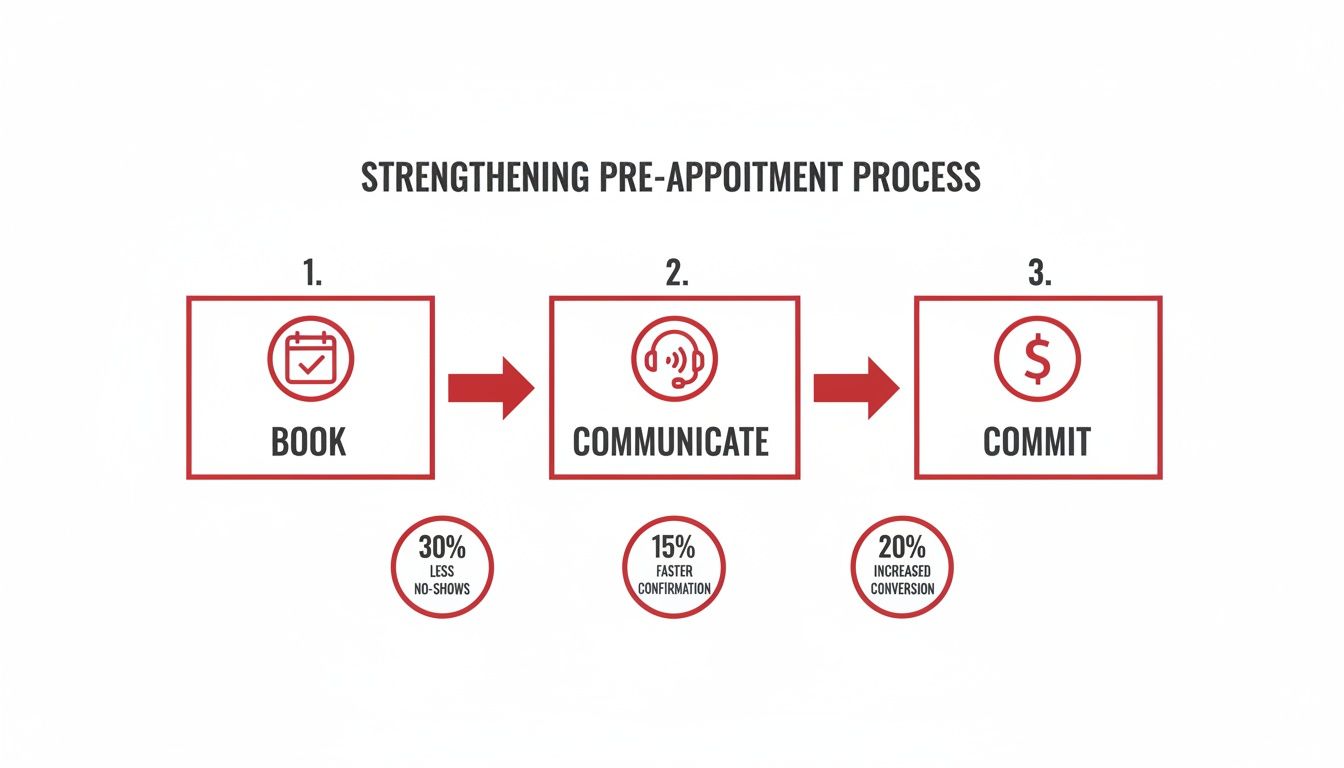
Build a Multi-Channel Sequence That Actually Works
Relying on just one channel is a recipe for disaster. Emails get buried in a crowded inbox. Phone calls go to voicemail. But a well-timed text? That gets seen almost instantly. By layering your communication, you cover all your bases without being annoying.
Here’s a practical, multi-channel workflow you can steal for your HVAC business:
- Immediately After Booking (Email): The moment they book, an email should hit their inbox. It needs to summarize the key details: date, time window, address, and the problem they reported. Crucially, include a one-click link to add the appointment to their Google or Apple calendar.
- 48 Hours Before (Email & SMS): This is your two-day check-in. The email can be a bit more detailed—maybe link to some 5-star reviews or share a quick tip. The text message, however, should be short and sweet, asking for a simple "YES" to confirm.
- 24 Hours Before (Email or Automated Call): The final confirmation. Repeat the appointment details and remind them of anything they need to do, like ensuring clear access to the furnace or AC unit. For certain demographics, a friendly automated call can work wonders here.
This multi-touchpoint approach is fundamental to keeping leads engaged. If you want to dive deeper into turning every inquiry into a job, check out our guide on lead nurturing best practices.
Below is a sample sequence you can adapt. The goal is to be consistently helpful, not just another notification they ignore.
Sample HVAC Appointment Reminder Sequence
A multi-channel communication plan designed to confirm appointments and build customer trust from booking to arrival.
| Timing | Channel | Key Content/Purpose |
|---|---|---|
| Immediately after booking | Full confirmation, calendar link, and what to expect next. | |
| 48 hours before | SMS | Quick confirmation check. "Reply YES to confirm your appointment for [Date]." |
| 48 hours before | Detailed reminder, link to reviews, and a heads-up about the 24-hour notice. | |
| 24 hours before | Technician photo and bio, reiteration of the appointment time. | |
| Day of appointment | SMS | "Your technician, [Name], is on their way! Track their arrival here: [Link]." |
This sequence does more than just remind; it builds anticipation and professionalism, making the customer feel like they are in good hands.
The Content That Cements Commitment
What you say in your reminders is just as important as when you send them. Generic messages are easy to ignore. Personalized, valuable content builds the relationship before your tech even rings the doorbell.
A great reminder message does three things: it confirms the logistics, introduces the expert coming to their home, and reminds them of the specific problem you are coming to solve. This transforms a forgettable appointment into an anticipated solution.
For instance, that 24-hour reminder email is the perfect place to include a photo and a short, friendly bio of the assigned technician. "Jim, our senior NATE-certified technician with 15 years of experience, will be arriving tomorrow…" This one small touch turns a stranger into a trusted professional and eases any anxiety the homeowner might have.
Ultimately, preventing no-shows comes down to managing expectations. When you communicate clearly and consistently, you show homeowners you respect their time—and they're far more likely to return the favor.
Up Your Game on the Day of Service
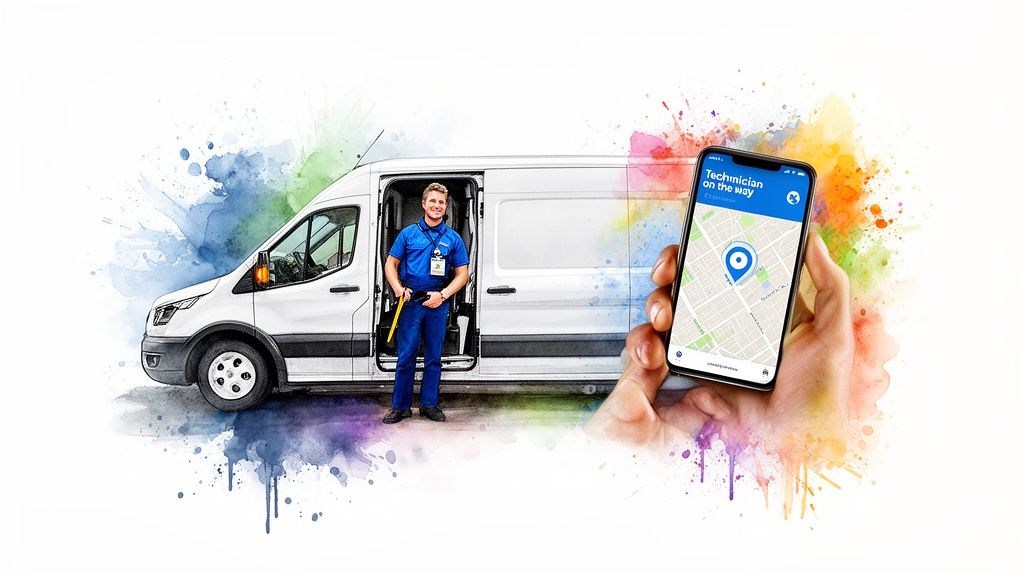
The hours right before a service call are your final, and frankly, your best shot at making sure the appointment sticks. This is where you can go beyond just sending a basic reminder and create an experience that virtually guarantees the homeowner will be there when you arrive.
Let's be honest, the biggest source of anxiety for any customer on service day is uncertainty. They're stuck with a wide service window, wondering, "Did they forget about me?" or "Are they even going to show up?" This is the exact moment they decide to risk a quick trip to the store, get stuck in traffic, and accidentally become a no-show.
You can wipe that uncertainty right off the map by stealing a page from the playbook of apps like Uber and DoorDash. The secret is total transparency. It builds confidence and makes the waiting game feel effortless.
Let Them Track Your Technician in Real-Time
Sending a simple "your technician is on the way" text is the new standard. It’s no longer a nice-to-have feature; homeowners now expect it. But when that notification includes a link to a real-time GPS map, you instantly dissolve all their last-minute doubts.
Suddenly, they aren't chained to their living room couch. They can literally watch your tech's van move across the map, giving them a crystal-clear ETA. This small touch provides massive peace of mind and slashes the odds of a last-minute cancellation or a wasted trip to an empty house.
This kind of real-time communication is a core feature in most modern HVAC service business software. It ties your dispatching directly to customer notifications, making the whole process seamless for your team.
Giving customers a live map to track your technician's arrival doesn't just cut down on no-shows—it transforms their waiting experience from frustrating to confident. It’s a powerful signal that your business is professional, modern, and respects their time.
Put a Face to the Name with Technician Profiles
While GPS tracking answers the "when," a technician profile answers the "who." This is a huge step in building trust and a personal connection before your tech ever rings the doorbell. People are naturally a little hesitant to let a stranger into their home, and this one simple action makes a world of difference.
When you send that "on the way" notification, make sure it includes:
- A Friendly Headshot: A professional, smiling photo makes the technician feel familiar and approachable right away.
- A Quick Bio: A sentence or two about their experience, specialties, or even a hobby works wonders. Think: "Jim is a NATE-certified specialist with over 10 years of experience keeping families comfortable."
- Key Credentials: Mentioning things like NATE certification or specific factory training reinforces their expertise and your company's high standards.
This proactive introduction completely reframes the interaction. The homeowner isn't just waiting for "the HVAC guy" anymore. Now, they're specifically waiting for Jim, the friendly expert who is on his way to solve their problem.
By combining these two strategies—live tracking and personal profiles—you completely elevate the day-of-service experience. You swap customer anxiety for anticipation and build a layer of trust that makes a no-show incredibly unlikely. It's often this final touch that makes the biggest impact on your bottom line.
Using Data to Optimize Your Show Rate
You can't fix a problem you can't see. All the reminder texts and technician profiles in the world won’t move the needle if you don't know where your no-show problem is actually coming from. It’s time to stop throwing tactics at the wall and start making strategic, data-driven decisions that actually impact your bottom line.
This means you need to stop guessing and start measuring. The first and most important key performance indicator (KPI) is your show rate. It’s not complicated—it's just the percentage of booked appointments that your technicians actually complete.
The math is simple: (Completed Appointments / Total Booked Appointments) x 100 = Show Rate.
If you booked 100 jobs in a month and only completed 92, your show rate is 92%, and your no-show rate is 8%. Knowing this number is the critical first step. It gives you a baseline to measure all your future efforts against. Without it, you’re flying blind.
Digging Deeper to Find the Real Problem
An overall show rate is a great starting point, but the real magic happens when you start slicing up that data. A company-wide 8% no-show rate doesn't tell you why those appointments are being missed. The answers are hidden in the details.
Start breaking down your no-show data by different categories. This process almost always reveals surprising patterns that point directly to the source of the problem, allowing you to stop wasting resources and focus your efforts where they'll have the biggest impact.
Don't just track your overall no-show rate. Segment your data by lead source, service type, and even time of day. This is how you uncover the hidden patterns that are costing you money and find the precise leverage points to fix them.
Think about analyzing your no-shows through these lenses:
- By Lead Source: Are the leads you get from Google Ads more likely to no-show than the ones from a Facebook campaign? Maybe referrals from existing customers have a near-perfect show rate.
- By Service Type: Do high-urgency "no cool" repair calls have a better show rate than routine maintenance visits? Are sales appointments for new system installations more likely to stick?
- By Time and Day: Are Friday afternoon appointments missed more often than Monday morning ones? Perhaps you have a higher no-show rate during the first week of the month.
This kind of analysis is how you move from just knowing you have a problem to understanding exactly what that problem is.
Turning Insights into Actionable Strategy
Once you’ve identified a pattern, you can take specific, targeted action. Data is useless unless you use it to change your approach. The goal here is to make smarter decisions about everything from your marketing spend to your scheduling policies.
For example, if you discover that leads from a specific paid ad campaign have a whopping 20% no-show rate, you have a clear decision to make. You can either refine the ad's messaging to attract more committed homeowners or reallocate that budget to a channel that delivers more reliable appointments.
Here’s how these insights can translate into real-world changes:
| Data Insight | Potential Actionable Strategy |
|---|---|
| High no-shows from a certain ad source. | Adjust ad copy to better qualify leads or pause the campaign and shift budget to a better-performing source like Local Services Ads. |
| Maintenance visits are frequently missed. | Implement a pre-paid maintenance plan program. Customers who pay upfront are significantly more likely to keep their appointments. |
| Friday afternoon appointments have a high no-show rate. | Increase the intensity of your reminder sequence for these specific time slots or require a reservation fee for all Friday bookings. |
By consistently tracking these metrics, you create a powerful feedback loop. You can test new strategies, measure their impact on your show rate, and continuously refine your process. This data-driven approach is the most reliable way to figure out how to reduce no show appointments and recapture the revenue that's slipping through the cracks.
Frequently Asked Questions About Reducing No-Shows
Putting new systems in place to cut down on missed appointments always brings up a few questions. I get it. HVAC owners want to know exactly how these changes will impact their customer relationships and day-to-day operations before they dive in.
Let's walk through some of the most common questions we hear from contractors trying to solve their no-show problem for good.
Will a Booking Deposit Scare Away New Customers?
This is, without a doubt, the biggest hang-up for most HVAC companies. It's a totally valid concern. You worry that asking for money upfront will create friction and send a potential customer straight to a competitor who doesn't ask for a dime.
But here’s what we’ve seen time and time again: when you frame it correctly, a small deposit actually attracts better, more committed clients.
It's all in how you present it.
- Call it a "Reservation Fee." This sounds much more professional and less like a penalty than a "deposit" or "charge."
- Make it Fully Refundable or Creditable. State clearly that the fee will be applied directly to their final invoice. This proves it's not some extra cost—it's just a way to hold their spot.
- Explain the "Why." A simple, confident line like, "To reserve your dedicated time with our certified technician, we ask for a small, fully refundable reservation fee," positions it as a benefit, not a barrier.
A small fee—think $25 to $49—is just enough to filter out the tire-kickers and show that your technician's time is valuable. Customers with a real problem who genuinely need your help almost never push back.
What’s the Best Software for Automated Reminders?
You absolutely do not need a bunch of different tools to run a solid reminder sequence. The best bet is almost always an all-in-one field service management (FSM) software that has this stuff built right in. Platforms like ServiceTitan, Housecall Pro, or Jobber are designed from the ground up for home service businesses.
These systems tie your scheduling, dispatching, and customer communication together in one place. That means when a job gets booked, the automated email and text message reminders are triggered on their own. No extra work for your office staff. Plus, they usually include killer features like technician GPS tracking and profiles, which are massive for improving the day-of-service experience.
How Do We Confirm Appointments Without Annoying People?
There's a fine line between a helpful reminder and a flat-out annoying notification. The secret is to deliver value with every message and to use different channels so you aren't just blowing up their phone with texts.
The goal of a confirmation sequence isn't just to remind, but to reassure. Each message should build confidence by confirming details, introducing the expert, and reinforcing that help is on the way. This approach makes customers feel prepared, not pestered.
A good rule of thumb is to mix up the channel and the message. An email right after they book is standard. A quick SMS 48 hours out asking for a simple "YES" to confirm is super low-effort for the homeowner. And finally, an email the day before with the technician's photo and bio adds a personal touch that builds serious trust.
For a broader look at this topic, there are some great guides offering simple strategies for reducing no-show appointments that work across all kinds of service industries.
What If a Customer Still No-Shows After All This?
Look, even with a perfect system, a no-show will still slip through the cracks every now and then. When it does, how you respond makes all the difference.
The first time it happens, give them the benefit of the doubt. Have your dispatcher give them a call with a friendly, non-accusatory tone: "Hi [Customer Name], this is [Your Name] from [Your Company]. We had you down for an appointment today and just wanted to make sure everything is okay. Would you like to reschedule?"
This approach keeps the relationship positive. For repeat offenders, though, you need a firm policy. This is where you might require a non-refundable deposit for any future bookings. In extreme cases, you might just have to decide not to serve that customer anymore. Your data will help you spot these patterns so you can protect your team's valuable time.
At HVAC Growth Machine, we build systems that don’t just generate leads—they help you turn them into profitable jobs. Our websites and automated follow-up sequences are designed to pre-qualify customers and slash no-shows, making sure your team's time is spent doing revenue-generating work. Learn how we can help fill your calendar with reliable appointments at https://hvacgrowthmachine.com.





Founder of HVAC Growth Machine