

A great hvac web design isn’t just a digital brochure. It’s a machine built for one primary purpose: landing high-ticket installation jobs, not just fielding low-margin repair calls. Think of it as your best salesperson—one who works 24/7 turning local homeowners into profitable, booked appointments.
Building Your Digital Foundation for Profitable HVAC Leads
Before you even think about colors or logos, the real work begins. It starts with strategy. So many contractors get this backward. They jump right into the design, wanting something that looks good, but a pretty website that doesn’t bring in the right kind of leads is just a sunk cost.
The goal isn’t just to look professional. It’s to build a system that consistently fills your calendar with full system replacements and new installs. This is all about defining who you’re after, knowing what your competition is doing, and setting goals you can actually measure.
Pinpointing Your Ideal Customer
First things first: you have to get specific. “Homeowners” is way too broad. The person calling for a $250 capacitor fix is a completely different customer than the one who’s finally ready to drop $15,000 on a new high-efficiency system. Your website’s words, photos, and calls to action need to speak directly to that second person.
Ask yourself these questions to get a clear picture of your ideal install customer:
- What’s their real problem? Are they sick of an ancient, energy-guzzling unit? Are they facing another thousand-dollar repair bill? Maybe they’re planning a major home renovation.
- What are they worried about? It always comes down to a few things: the total cost, the reliability of the new system, and the hassle of having their house torn apart for a few days.
- What do they need to see to make a decision? They’re looking for financing options, easy-to-understand system comparisons, transparent pricing, and proof that you’re the expert who can get it done right.
When you start targeting the “installation-ready” homeowner, your entire approach changes. You stop plastering “24/7 Emergency Repair!” banners everywhere and start featuring content on energy savings, system lifecycles, and financing deals.
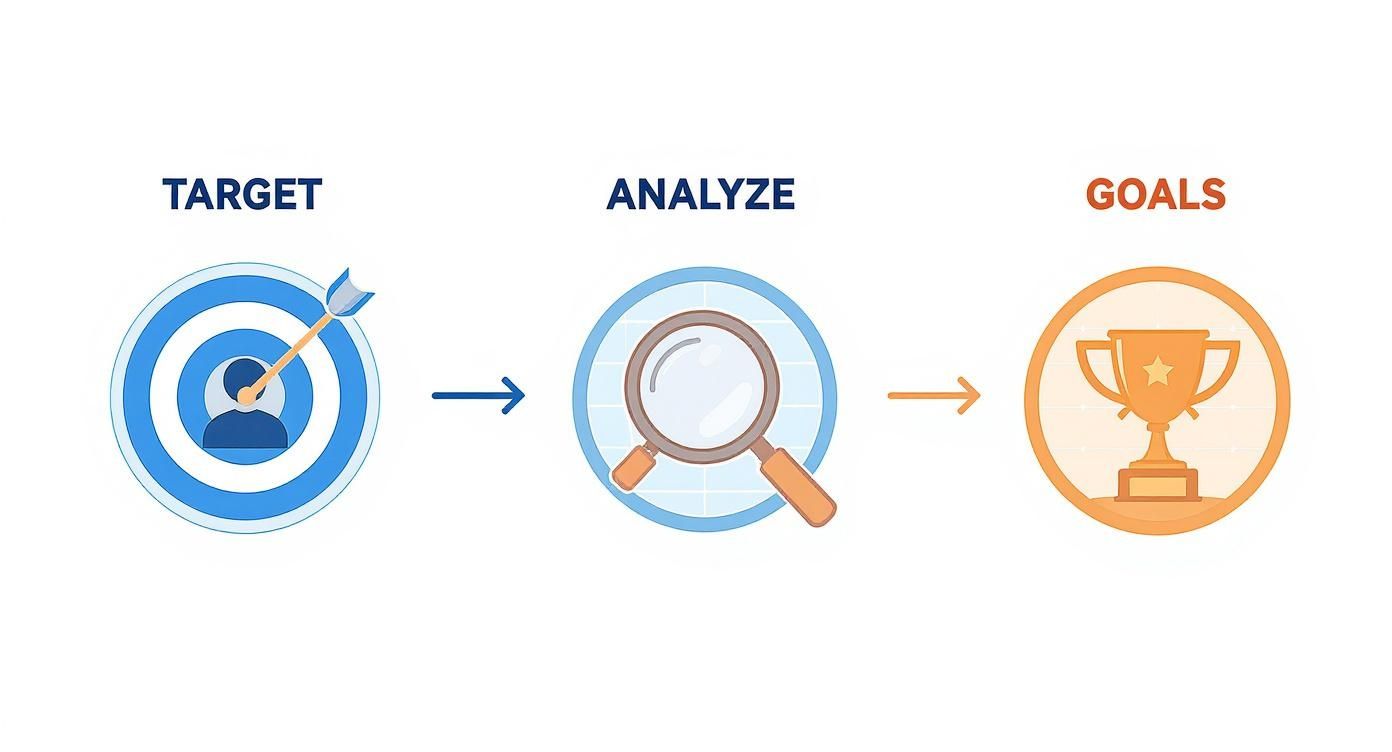
This process shows that great design doesn’t happen by accident. It’s the end result of a smart business strategy.
Sizing Up the Competition and Setting Real Goals
Once you know who you’re talking to, you need to see who else is talking to them. Google the top HVAC companies in your service area and pull up their websites. What are they doing well? More importantly, where are the gaps?
Maybe their sites are painfully slow. Maybe they look terrible on a phone. Or maybe they don’t have a simple way for a customer to get an online estimate. Every one of their weaknesses is an opportunity for you to win.
The game has changed. By 2025, it’s projected that over 84% of HVAC clients will start their search for a contractor online. And get this—65% of them are starting on their phone. If your site isn’t built for mobile first, you’re already losing. You can discover more insights about these HVAC consumer trends and see why this stuff matters.
With that in mind, you can set real goals. Forget vague wishes like “get more leads.” Get specific.
- Generate 15 qualified installation leads per month through the website.
- Increase online sales of maintenance plans by 25% in the next three months.
- Rank in the top three of the local map pack for “AC installation [Your City].”
Key Takeaway: A solid strategy turns your website from a passive business card into an active, lead-generating machine. Every single decision—from the headline on your homepage to the fields in your contact form—should point directly back to these goals.
To make this crystal clear, here’s a breakdown of what a high-performing HVAC website truly needs to accomplish.
Core Components of a High-Performing HVAC Website
A summary of the essential elements your website must have to effectively attract and convert leads for installation, repair, and maintenance services.
| Component | Primary Goal | Key Feature Example |
|---|---|---|
| Strategic Targeting | Attract high-value installation and replacement jobs. | “Financing Options” page, “System Replacement Guide” |
| Mobile-First UX | Provide a seamless experience for the 65%+ of users on smartphones. | Click-to-call buttons, simple navigation |
| Conversion Elements | Turn visitors into qualified leads and booked appointments. | Instant online estimate tool, multi-step lead forms |
| eCommerce Functionality | Generate recurring revenue and capture immediate sales. | Online checkout for annual maintenance plans |
| Local SEO Integration | Dominate local search results and the Google Map Pack. | Geo-tagged service area pages, embedded reviews |
| Revenue Attribution | Track exactly which marketing efforts generate actual sales. | Call tracking numbers, marketing source reporting |
Each of these components works together. A great mobile experience won’t matter if your messaging doesn’t attract the right customer, and a powerful call to action is useless if you can’t track whether it led to a sale.
Designing for User Trust and a Flawless Mobile Experience
Picture this: It’s a sweltering July afternoon, and a homeowner’s AC unit just died. What’s their first move? They grab their phone and start frantically searching for help.
This is the moment of truth for your HVAC website. In that high-stress scenario, your site has to perform perfectly. It needs to build instant trust and make it ridiculously easy for them to get in touch.
A clunky, slow, or confusing website is the digital equivalent of showing up in a messy truck with a rude technician. It screams unprofessionalism and sends potential customers straight to your competitors. If your site wasn’t built for mobile first, you’re already behind—over 60% of all HVAC-related searches happen on a smartphone.
The goal is simple: create a digital experience so reassuring and competent that a stressed-out homeowner feels like they’ve found the right company before they even pick up the phone.
Building Credibility with Authentic Visuals
Generic stock photos are a credibility killer. We can all spot them from a mile away—the same perfectly coiffed family smiling in a living room that looks like it’s from a furniture catalog. These images do nothing to build trust. In fact, they often create a subtle sense of doubt.
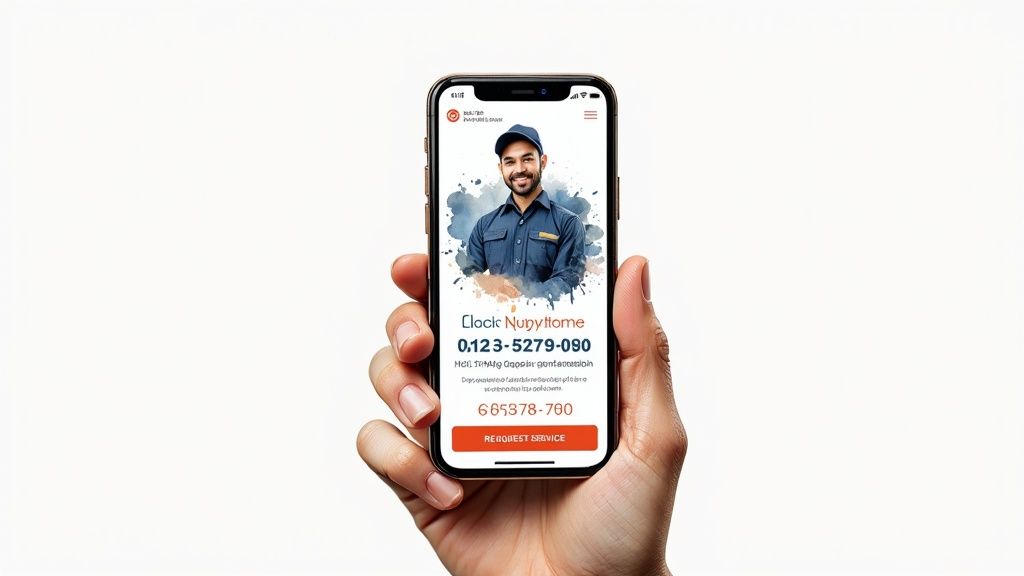
Instead, invest in professional photos of your actual team. Show your technicians in your branded uniforms, working on real equipment. Snap some pictures of your clean, well-maintained service vans. A photo of the owner or a full team shot on the “About Us” page adds a powerful, human touch.
This kind of authenticity is magnetic. It tells a potential customer:
- We are a real, local business.
- These are the actual people who will be in my home.
- We take pride in our work and our appearance.
Using your own high-quality images is one of the fastest ways to stand out from the competition and build a foundation of trust before a single word is spoken.
Making Contact Effortless on Mobile
On a mobile device, the most critical elements are your phone number and a way to request service. A visitor in a panic should be able to find and use these in under three seconds. This is non-negotiable.
Your phone number needs to be right at the very top of the screen in a “sticky header” that stays put as the user scrolls. And crucially, that number must be a click-to-call link. Forcing someone on their phone to copy and paste a number is a huge friction point that will absolutely cost you leads.
Likewise, your main call-to-action button—something like “Schedule Service” or “Get a Free Estimate”—should be impossible to miss. Use a contrasting color that makes it pop off the page and stick it right up there next to your phone number.
Pro Tip: Keep your mobile contact forms brutally short. No one wants to fill out ten fields on a tiny screen. Stick to the absolute essentials: Name, Phone Number, and a quick note about their problem. You can get the rest of the details when you call them back.
Displaying Trust Signals Front and Center
Beyond great photos, your website needs to be peppered with clear proof of your expertise and reliability. These are your trust signals—the visual cues that instantly reassure a visitor they’re dealing with a legitimate, high-quality operation.
Sprinkle these elements throughout your site, especially on the homepage and main service pages:
- Certifications and Badges: Get those logos for NATE, BBB, and any manufacturer certifications you hold up there where people can see them.
- Local Awards: If you’ve been voted “Best in the City” or won other local honors, showcase those badges with pride.
- Customer Reviews: Don’t just say you have five-star reviews; show them. Embed a live feed of your latest Google or Facebook reviews directly on your site.
- Guarantees: Clearly state any satisfaction or workmanship guarantees you offer. This lowers the perceived risk for a new customer.
When you combine a flawless mobile experience with authentic imagery and prominent trust signals, your hvac web design transforms from a simple website into a powerful tool for building confidence and turning anxious searchers into paying customers.
Turning Your Website Into a Lead-Generating Machine
Let’s be blunt: a beautiful HVAC website that doesn’t make your phone ring is just an expensive digital brochure. Now we get to the part that actually makes you money—turning those website visitors into scheduled, profitable jobs.
We’re talking about building an intentional path for homeowners. From the moment they land on your site with a broken AC or an ancient furnace, every single element needs to guide them toward a solution. Your solution.
This is how you turn a passive website into an active sales rep that works 24/7, capturing leads long after your office has closed for the day.

Calls-to-Action That Actually Get Clicks
Your “call-to-action” (CTA) is the single most important instruction on any given page. If you’re using weak, passive phrases like “Learn More” or “Contact Us,” you’re losing leads. A homeowner whose AC died in July doesn’t want to “learn more”—they want help, now.
Your CTAs have to be direct, action-oriented, and promise a clear benefit. Ditch the generic stuff and try these instead:
- Instead of “Submit,” use “Get My Free Estimate Now.” It’s urgent, specific, and tells them exactly what they’re getting.
- Instead of “Contact Us,” try “Schedule Your AC Repair.” This speaks directly to their immediate problem.
- Instead of “Learn More,” use “Explore Financing Options.” This moves them to a page that solves a huge pain point: cost.
Place these CTAs “above the fold” (what people see without scrolling) and sprinkle them throughout your service pages. Make the buttons a bright, contrasting color so they’re impossible to miss, especially on a phone screen.
Keep Your Lead Forms Short and Sweet
When someone decides to reach out, the last thing you want is to make them jump through hoops. A long, complicated contact form is a conversion killer. I’ve seen it time and time again.
Keep it brutally simple. Ask only for what you absolutely need to start the conversation.
- Name: So you know who you’re talking to.
- Phone Number: The fastest way to follow up.
- Brief Message: To get a general idea of the problem (“AC not cooling,” “furnace is making a weird noise”).
Here’s something we’ve learned from reviewing hundreds of forms: every single extra field you add causes more people to give up and leave. You can get their address and equipment details on the follow-up call. The only goal of the form is to open the door.
This is even more critical on mobile, where nobody wants to type out a novel. A simple, three-field form respects the user’s time and will dramatically increase the number of leads you get.
Bringing in the Heavy Hitters: Advanced Conversion Tools
Beyond the basics, modern HVAC sites can use more sophisticated tools to engage visitors and snag those high-intent leads who are ready to buy.
An interactive cost calculator is a perfect example. A homeowner can plug in their home’s square footage and system preferences to get a ballpark estimate for a new install. This gives them immense value upfront while capturing the contact info of someone seriously considering a big-ticket purchase. We’ve seen these tools completely change the quality of leads coming from a website. You can learn more about the power of instant quote tools for HVAC websites in our detailed guide.
Another game-changer is an online booking system. Letting customers see your real-time availability and book their own maintenance or service call is huge. It eliminates phone tag and caters to the growing number of people who would rather click a button than make a call.
The data doesn’t lie. HVAC companies that invest in features like online scheduling and interactive tools have seen new customer inquiries jump by as much as 55%. When you build these elements into your site, it stops being a brochure and becomes a core part of your sales process.
Winning the Local Search Battle with SEO
Let’s be blunt: for an HVAC contractor, being invisible in local search is the same as not existing. When a homeowner’s AC dies on a 95-degree day, they don’t browse a directory; they grab their phone and search “emergency AC repair near me.”
If your business doesn’t pop up in that exact moment, you’ve already lost the job to a competitor who does.
Your hvac web design is the foundation, but local search engine optimization (SEO) is what actually drives neighborhood traffic to your site. It’s all about convincing Google that you are the most relevant, authoritative, and trustworthy option in a specific town or city. This isn’t just about ranking on a search page; it’s about dominating the Google Map Pack, which is where the most valuable, high-intent customers are looking.

Your Google Business Profile Is Your Local Homepage
Think of your Google Business Profile (GBP) as your second homepage. Honestly, for many customers, it’s the first interaction they’ll have with your brand. An incomplete or neglected profile is a massive red flag that screams “we don’t pay attention to detail.”
Fully optimizing your GBP is completely non-negotiable. This means:
- Choosing the right categories. Don’t just list “HVAC Contractor.” Get specific: “Air conditioning repair service,” “Furnace repair service,” and “Heating contractor.”
- Uploading high-quality photos. Show off your branded vans, your team in uniform, and photos of your work (with customer permission, of course). This builds immediate trust.
- Answering questions proactively. Use the Q&A feature to tackle common questions like “Do you offer financing?” or “What are your emergency service hours?”
- Using Google Posts regularly. Share special offers, maintenance tips, or company news at least once a week. This shows Google you’re an active, engaged business.
The Power of Hyperlocal Service Pages
A single “Services” page just doesn’t cut it anymore. To really capture local search intent, you need to create dedicated pages for each service you offer in each town you serve. A homeowner in Springfield is searching for “furnace repair in Springfield,” not just a generic “furnace repair.”
By building out pages like these, you send a powerful signal to Google that you are the go-to expert for that specific job in that exact location. These pages need unique content—mention local landmarks, talk about neighborhoods, and include testimonials from customers in that town. It’s a bit of work upfront, but the payoff in targeted, high-converting traffic is enormous.
Key Insight: The more specific you are, the better you’ll rank. Google’s entire job is to provide the most relevant answer to a user’s query. A page dedicated to “AC installation in Lakewood” is far more relevant to a Lakewood resident than a generic page about AC installation.
Building Trust with Reviews and Consistent Information
Online reviews are the lifeblood of any local service business. Actively encouraging your happy customers to leave Google reviews is one of the most impactful SEO activities you can do. It’s not just about the star rating; it’s about the recency and frequency of new reviews pouring in.
Equally important is what’s known as NAP consistency. This means your business Name, Address, and Phone number must be identical everywhere online—from your website to your GBP, Yelp, and other local directories. Even small inconsistencies create confusion for search engines and can seriously tank your local rankings.
The writing is on the wall: it’s estimated that by 2025, 85% of consumers will search online before booking an HVAC service. Data also shows that HVAC companies featuring customer reviews on third-party sites see a 55% increase in new customer inquiries, proving how critical trust really is. This just underscores the need for a robust local SEO strategy baked into your web design from day one. You can also explore our comprehensive guide on how SEO for HVAC contractors drives tangible results.
Measuring What Matters with Analytics and Revenue Tracking
A slick-looking website is nice, but how do you actually know if it’s making you money? Without data, you’re just guessing. Measuring the performance of your HVAC web design isn’t about chasing vanity metrics like website visitors; it’s about connecting every single click to a real, tangible business result.
The whole point is to move from just seeing traffic numbers to understanding exactly which marketing efforts are generating the most profitable jobs. This is how you demystify your marketing spend and start making informed decisions that fuel predictable growth, instead of just hoping the phone rings.
Setting Up Analytics to Track What Counts
First things first: you need Google Analytics 4 (GA4) installed. But just flipping the switch isn’t enough. You have to tell it what actions actually matter to your HVAC business. These are your conversion events.
Instead of getting lost in page views, you need to set up specific goals that signal a homeowner is ready to talk to you. For most HVAC shops, these are the big three:
- Form Submissions: Every time someone fills out your “Request an Estimate” or “Schedule Service” form.
- Phone Number Clicks: Tracking when a user on their phone taps your click-to-call number.
- Live Chat Initiations: Counting how many people start a conversation through your chat widget.
Tracking these specific actions takes you lightyears beyond generic traffic data. It lets you see which pages—like your high-value “AC Installation” page versus a blog post on changing filters—are actually generating leads.
The Game-Changer: Call Tracking
Website analytics are great, but they have a blind spot. They can show you a click on your phone number, but they can’t tell you what happened next. Did the person actually call? Did they book a job? This is where call tracking becomes absolutely essential.
Call tracking software assigns a unique, trackable phone number to your website. When a potential customer calls that number, the system not only records the call but, more importantly, traces it back to its source. Now you can say with 100% certainty that a specific Google Ad, a particular service page, or your Google Business Profile generated that phone call.
This is the missing link for most HVAC contractors. Without call tracking, you’re completely blind to the true ROI of your marketing. You can’t tell if that $5,000 ad spend produced one small repair call or ten full system installs.
To properly measure your website’s impact, you need to know more than just if it’s working; you need to know how well it’s working. Below are the key metrics we track for our clients to ensure their site isn’t just a pretty brochure but a lead-generating machine.
Key HVAC Website Performance Metrics
| Metric | What It Measures | Why It Matters for HVAC |
|---|---|---|
| Conversion Rate | The percentage of visitors who complete a desired action (call, form fill, chat). | This is your website’s “closing rate.” A high rate means your site is effectively turning lookers into leads. |
| Cost Per Lead (CPL) | Your total marketing spend divided by the number of leads generated. | Tells you exactly how much it costs to get a potential customer on the phone or in your inbox. |
| Leads by Source | Breaks down where your leads are coming from (e.g., Google Ads, Organic Search, GBP). | Shows you which channels are your winners so you can double down on what works and cut what doesn’t. |
| Phone Call Duration | The average length of inbound calls from your website’s tracking number. | Short calls are often price shoppers or wrong numbers. Longer calls (2+ minutes) are typically qualified leads. |
| Goal Completions | The total number of tracked actions (forms, calls, etc.) completed on your site. | Provides a clear count of how many potential jobs your website generated in a given period. |
Tracking these numbers moves you from hoping for results to engineering them. It gives you the clarity to make smart, data-backed decisions about where to invest your marketing dollars for maximum return.
Tying It All Together with Revenue Attribution
This final step is the most critical: revenue attribution. This is where you connect a closed, paid invoice all the way back to the original marketing source that brought in that customer.
Let’s walk through a real-world scenario:
- A homeowner searches “furnace replacement [Your City],” clicks on your Google Ad, and lands on your website.
- They call the unique tracking number displayed on that furnace page.
- Your team books the estimate, your comfort advisor sells a $12,000 furnace installation, and your crew completes the job.
With a proper tracking and attribution setup, you can see that the initial click on that Google Ad directly resulted in $12,000 of revenue. You’ve officially closed the loop.
You’re no longer just measuring clicks or calls; you’re measuring actual, in-the-bank profit. This data gives you the power to confidently scale up what works and kill the campaigns that are just burning cash, turning your website into a measurable, predictable growth engine.
Common HVAC Web Design Mistakes to Avoid
Investing in a new website is a big deal, but even the best intentions can lead to a site that just doesn’t perform. We see it all the time—HVAC companies sink thousands into a new design only to have it turn into an expensive digital paperweight.
By knowing what the common tripwires are ahead of time, you can make sure your investment actually pays off from day one.
One of the quickest ways to kill trust is by using generic stock photos. Nobody believes those smiling families in pristine, showroom-style houses are your actual customers. People want to see your real team, your branded trucks on a local street, and photos of your crew on the job. That’s what builds confidence in a local business.
Another absolute deal-breaker? A slow website. When a homeowner’s AC dies on a 95-degree day, they are not waiting around. If your site takes more than a couple of seconds to load, they’ve already clicked the back button and are on to your competitor’s site. This doesn’t just lose you the lead; Google sees it too and will punish you in the search rankings.
Hiding Information and Creating Confusion
This one sounds obvious, but you’d be surprised how often we see it: the phone number is buried somewhere on the contact page. Your phone number needs to be impossible to miss. Put it in the header of every single page, and make sure it’s a “click-to-call” link on mobile. Don’t make a stressed-out homeowner hunt for it.
The same goes for a clunky navigation menu. If a visitor can’t immediately find your services, service area, or financing options, they’re gone. Your site’s layout has to be dead simple, guiding people exactly where they need to go without making them think.
Here are a few other traps we constantly see sabotaging a website’s potential:
- Forgetting Mobile: A site that isn’t built for a phone first is basically obsolete. If people have to pinch and zoom to read your text or try to tap a tiny button with their thumb, you’re actively pushing business away.
- Weak Calls-to-Action (CTAs): Vague buttons like “Learn More” do nothing. You need direct, action-oriented CTAs like “Get Your Free Estimate” or “Schedule Service Now” that tell a visitor exactly what to do next.
- Bloated Forms: Asking for a potential lead’s life story on a contact form is a guaranteed way to kill your conversion rate. Keep it simple: name, phone, and a quick message. That’s it. Make it easy for them to get in touch.
Key Takeaway: The best HVAC web design is all about removing friction. Every single element on the page should make it easier for a customer to trust you and contact you, especially when they’re in the middle of an HVAC emergency.
These issues might seem small on their own, but they stack up quickly, creating a terrible user experience that costs you leads and chips away at your brand’s credibility. To go deeper on this, check out our detailed breakdown of why most HVAC websites fail and how to fix yours. Sidestepping these common mistakes is the first step toward building a site that actually grows your business.
Burning Questions About HVAC Web Design
When you’re thinking about a new website, a lot of questions pop up. Getting straight answers is the only way to make a smart investment that actually grows your business, instead of just becoming another bill to pay. Here are the big ones we hear all the time from HVAC contractors.
How Much Should an HVAC Website Cost?
This is always the first question, and the honest answer is: it’s all over the map. You can get a basic template site from a generic builder for a few thousand bucks, but that’s like buying a truck with no engine. It looks the part, but it won’t actually do anything to bring in the high-value install jobs you need.
A custom-built, high-performance website designed from the ground up to generate leads usually runs between $10,000 to $25,000+. That price tag isn’t just for a pretty design; it includes the deep-dive strategy, professional copywriting that sells, and the integration of critical tools like call tracking and online booking that make the whole system work.
Here’s the bottom line: Stop thinking of your website as a cost. The right website is an asset—a lead-generating machine that should pay for itself over and over by attracting the profitable jobs that really move the needle.
How Long Does It Take to Build a New Website?
The timeline really depends on how deep we’re going. A simple site slapped together from a template might be live in 2-4 weeks.
But a truly strategic project—the kind that involves custom design, writing content that ranks on Google, and setting up all the technical tracking—typically takes 8 to 12 weeks from kickoff to launch. That buffer gives us time for proper planning, getting your feedback, and testing everything until it’s perfect. We want it working flawlessly from the minute it goes live.
Can I Just Use a Cheap Website Builder Myself?
Look, DIY builders seem like a great deal on the surface, but they’re a trap for most service businesses. They just don’t have the muscle you need for serious local SEO, and they can’t handle advanced conversion tools like the instant quote calculators that turn visitors into leads.
More importantly, they make it nearly impossible to integrate the call tracking and marketing attribution systems that tell you what’s actually making you money. A real HVAC website isn’t a digital brochure. It’s a complex marketing engine that needs an expert to build it right.
Ready to stop guessing and start getting real, measurable results from your online presence? HVAC Growth Machine builds high-converting websites designed to fill your calendar with profitable install jobs, not just clicks. See how our system works and secure your service area today. Visit us at https://hvacgrowthmachine.com.





Founder of HVAC Growth Machine